

PC Upgrades That
Actually Make a Difference.
Slow start-ups, poor gaming performance, limited storage or an ageing PC? The right upgrade can make a real difference. I'll help identify what's holding your system back and recommend the improvements worth making.
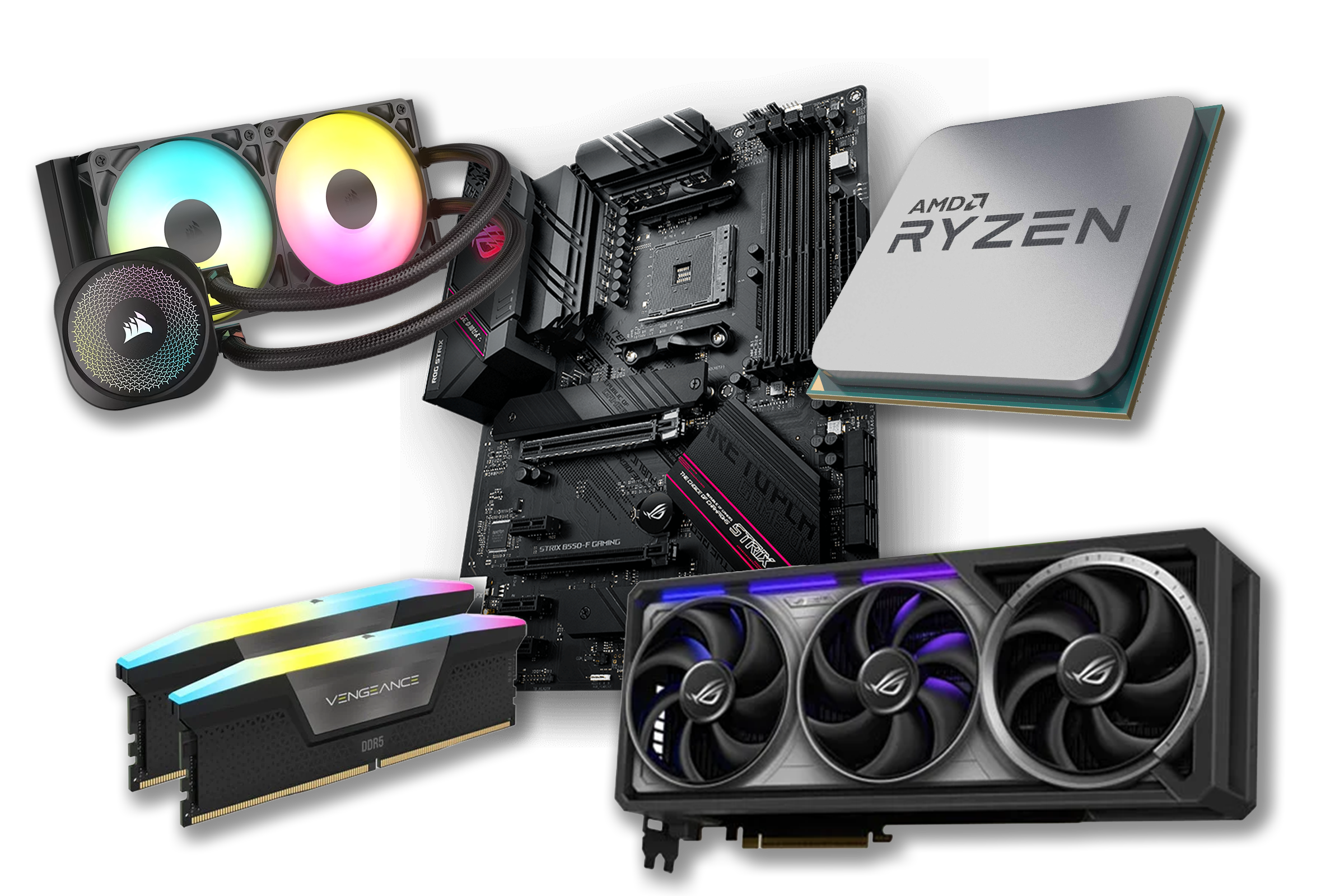
Make Your PC Feel
Better Where It Matters.
The best upgrade depends on what is holding your PC back. Tell Joel what feels slow, noisy, full or unreliable, and we’ll help work out which upgrade would make the biggest difference.
Start faster
If Windows, apps or files take too long to load, a storage upgrade can make the whole PC feel sharper.
Run games better
Frame drops, stutters and poor settings can point to graphics, memory, storage, cooling or balance issues.
Add more storage
Running out of space for games, files, photos or work? Extra storage can give your PC room to breathe again.
Handle more at once
More memory can help with multitasking, creative software, tabs, games and heavier everyday workloads.
Run cooler and quieter
Better cooling, airflow and a proper clean can reduce heat, fan noise and unnecessary strain.
Keep it going longer
If the machine is still worth saving, the right upgrade can extend its useful life without starting again.
Not sure what is holding your PC back? Tell Joel what you want it to do better and he’ll help you work out the sensible upgrade route.
Ask Joel What To Upgrade
Get More From Your PC.
Without Replacing It Unnecessarily.
A new computer isn't always the answer. Depending on your current hardware, a carefully chosen upgrade could give your PC the boost it needs — without the cost of starting again.
Upgrade Your Existing PC
Your computer still has plenty of potential. It just needs the right improvements in the right places.
An upgrade could be right when:- ✓ Your current PC is still capable of meeting your needs.
- ✓ One or two components are holding back performance.
- ✓ Your motherboard and other hardware support worthwhile upgrades.
- ✓ You want better performance without the cost of a completely new system.
Consider A New PC
Sometimes your existing system has reached its limits. Replacing it could offer better long-term value and more room to grow.
A new system may be better when:- ✓ Your processor and motherboard are several generations behind.
- ✓ Multiple major components need replacing.
- ✓ Compatibility limitations restrict meaningful improvements.
- ✓ The cost of upgrading is getting close to that of a new system.
We'd Rather Give You The Right Advice Than Sell You The Wrong Thing.
We'll look at your current PC, what you want to achieve and how much you're comfortable spending. If an upgrade makes sense, we'll explain your options. If replacing the system would be the better investment, we'll tell you that too.
Real Upgrades.
Noticeable Improvements.
Sometimes a few carefully chosen upgrades can make a world of difference. From breathing new life into an older PC to improving gaming performance, the right hardware can transform an existing system.
Faster From The Start
Give an ageing PC a new lease of life with faster storage. An SSD upgrade can improve start-up times, loading speeds and everyday responsiveness.
More Power For Gaming
A graphics card upgrade can help improve frame rates, visual quality and overall gaming performance, giving your existing PC more room to perform.
Ready For More
Whether it's additional memory, improved cooling or a combination of upgrades, the right changes can help your PC handle more demanding workloads.
Every Upgrade Starts With Understanding What You Need.
We'll look at your existing hardware, what you want to achieve and how much you're comfortable spending. Then we'll recommend upgrades that make sense for your system and your budget.
How Our PC Upgrade Service Works
Getting more from your computer doesn't need to be complicated. We'll guide you through every step, from choosing the right upgrade to getting your PC back up and running.
Tell Us What You Need
Let us know what you'd like to improve, whether that's faster performance, better gaming, more storage or simply extending the life of your current PC.
We Assess Your PC
We'll check your existing hardware, compatibility and upgrade options to establish what's possible and where your money will make the biggest difference.
Approve Your Upgrade
You'll receive a clear recommendation and quote before any work begins. No surprises, no unnecessary extras and no pressure to go ahead.
Upgrade, Test & Enjoy
We'll carry out the work, test everything thoroughly and make sure your PC is ready to use. Then it's back to you to enjoy the improvements.
That's What We're Here For.
You don't need to know which components you need. Tell us what you'd like your PC to do, and we'll help you work out the best way to get there.
PC Upgrade FAQs
Thinking about upgrading your PC? Here are some of the things you might want to know before getting started.
Can my existing PC be upgraded?
In many cases, yes. Most desktop PCs can be improved in some way, but what's possible depends on the existing components, motherboard, power supply and available space inside the case.
We'll assess your system and let you know which upgrades are compatible and worthwhile before recommending any work.
Do I need to know which parts I want?
Not at all. You don't need to understand processors, graphics cards or memory to get started.
Just tell us what you'd like your PC to do better. Whether that's gaming, everyday use, work or general performance, we'll help identify the upgrades that make sense.
Is it better to upgrade my PC or replace it?
It depends on your current hardware, what you need from your PC and how much you want to spend.
Sometimes a relatively small upgrade can make a big difference. In other cases, replacing the system may offer better value in the long run. We'll give you an honest recommendation rather than suggesting upgrades that aren't worth the cost.
Can you upgrade a gaming PC?
Absolutely. Gaming PCs are often good candidates for upgrades. Depending on your system, we may be able to improve gaming performance with a graphics card, processor, memory or storage upgrade.
We'll consider your current components and the games you play to help prioritise the improvements that matter most.
Will I lose my files or Windows installation?
Most hardware upgrades don't require Windows to be reinstalled or your files to be removed. However, some work, particularly storage replacements or operating system changes, may involve additional steps.
We'll discuss this with you beforehand. We also recommend keeping a backup of important files before any hardware work takes place.
Do you supply the upgrade parts?
Yes. We can source compatible components for your upgrade and include them in your quote. If you've already purchased a component, let us know and we can discuss whether it's suitable for your system.
How long will an upgrade take?
It depends on the type of upgrade, the availability of parts and whether any additional work is needed.
Once we've assessed your PC and agreed on the work, we'll give you an indication of the expected turnaround before getting started.
Can you check my PC before I decide?
Of course. If you're unsure what's holding your PC back, we can assess the existing hardware and discuss your options.
This helps establish what's worth upgrading, what can be reused and whether an upgrade is the right choice for you.